01
What is on-device AI?
On-device AI is artificial intelligence that runs on your own phone or computer instead of on a company’s servers. The model is downloaded once, and from then on the device’s own chip does the work, so a question can be answered without being sent anywhere.
Most AI assistants work the other way round. A cloud AI assistant sends what you type over the internet to the provider’s data centre, where a very large model reads it and writes a reply. The app on your phone is a window onto someone else’s computer.
An on-device assistant moves the model onto the phone. A language model is, in the end, a file: a very large set of numbers, called parameters, learned during training. Brello Core, for example, is built on Qwen3 1.7B, where “1.7B” means 1.7 billion parameters. Once that file is on the phone, the phone can run it locally, on its graphics processor (GPU) when it can and on its main processor (CPU) otherwise.
This guide uses Brello 1.0, our private AI assistant for Android and iPhone, as a worked example. It runs one of three open models entirely on the phone, through Google’s LiteRT-LM runtime,1 with no cloud AI, no account and no Brello server. Where we describe Brello, the numbers are the ones the app uses.
Terms used in this guide
- On-device AI
- An AI model that runs on the device’s own processor rather than on a remote server. Also called local AI.
- Cloud AI assistant
- An assistant whose model runs on the provider’s servers, so every question is sent there to be answered.
- Large language model (LLM)
- A model that reads and writes text. A local LLM is one stored and run on your own device.
- Parameters
- The learned numbers that make up a model. More parameters usually mean a more capable model and a larger file.
- Runtime
- The software that loads a model and runs it on the chip. Brello 1.0 uses Google’s LiteRT-LM.
- RAM
- The phone’s working memory. A model is loaded into RAM while it writes an answer.
02
Cloud AI and on-device AI: where a question goes
A cloud AI assistant answers a question on the provider’s servers. An on-device assistant answers it on the phone. That one difference decides who can see the question, whether you need an account and whether the assistant works without a signal. Figure 1 follows the same question along both routes.
- The same question is typed on two phones. Everything inside a dashed outline happens on that phone; everything outside it happens on someone else’s computer.
- A cloud assistant has to send the question away. Its model runs on the provider’s servers, so they receive the full text, and any photo attached to it.
- The answer comes back, and a copy can stay behind. How long it is kept, and whether it is reviewed or used for training, is set by the provider’s policy, not by your phone.
- An on-device assistant answers on the phone. The model runs on the phone’s GPU or CPU, so the question never has to leave, and no server holds a copy.
- The only optional route out is the search text. With web search turned on, or approved for one question, the phone sends the search text straight to a search engine and fetches the result pages itself.
With a cloud AI assistant, the question, and any photo attached to it, has to reach the provider’s servers in full, because that is where the model runs. What happens to it next is set by the provider’s policy. Depending on the service and your settings, conversations can be logged, kept for a period, reviewed or used to improve future models; Where AI assistants process and keep your questions covers the details. You usually sign in, too, which links each question to an account.
With on-device AI, the question doesn’t need to travel. It goes from the keyboard to the model on the phone, and the answer comes back to the screen. No server has to read it, so there is no copy on someone else’s computer to keep, review or lose. In Brello 1.0 the only route out after the download is optional web search, which sends the search text and requests up to four result pages (section 07).
| Property | Cloud AI assistant | On-device AI, as in Brello 1.0 |
|---|---|---|
| Where the model runs | The provider’s servers | The phone’s GPU, or its CPU as a fallback |
| What a server receives | The full question, and any photo | No AI server is involved. With web search on, a search engine receives the search text and the result sites receive page requests. |
| How long it is kept | Set by the provider’s policy | Chats stay on the phone, excluded from cloud backups |
| Account | Usually required | None |
| Without a connection | Stops working | Works after a one-time download |
| Speed depends on | Your connection and the provider’s servers | The phone’s chip and memory |
| Model size | Can be far larger than any phone could hold | Small enough for the phone: a 977 MB to 3.66 GB download |
The last row is the trade-off. On-device AI gives up some raw capability in exchange for privacy and independence from the network, and section 06 sets out exactly where that shows.
03
What an Android phone needs to run a local LLM
To run a local LLM, a phone needs three things: storage for the model file, enough memory (RAM) to load it, and a processor to run it, ideally the GPU. Brello 1.0 checks the first two before it downloads anything and handles the third automatically. Our explainer Running a language model on an Android phone covers each requirement in more depth.
Storage: one model file, downloaded once
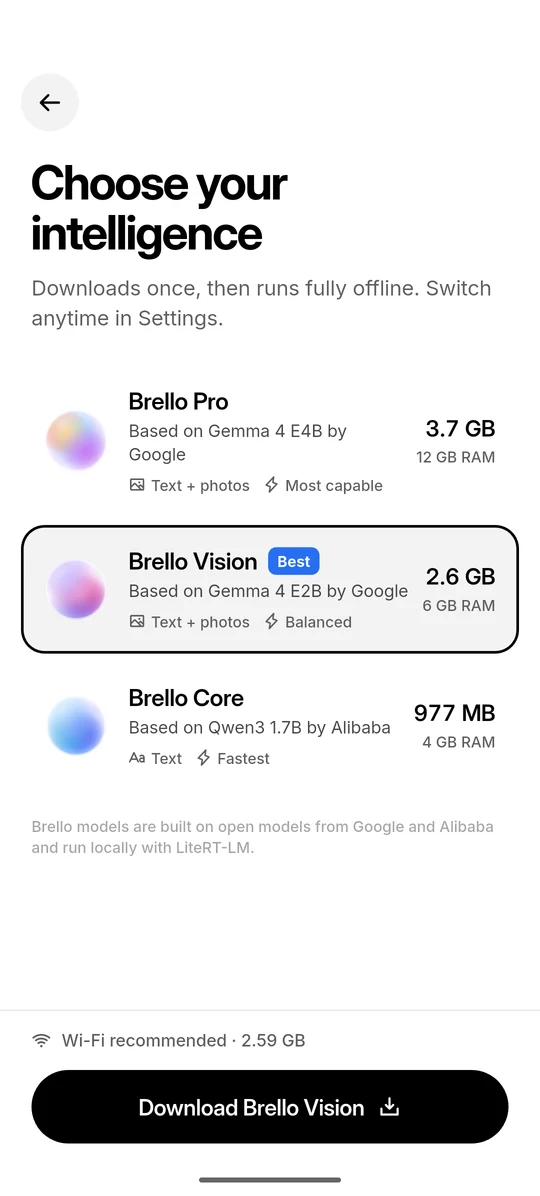
The model has to live on the phone, and model files are large. Brello 1.0 offers three, each built on an open model: Brello Pro on Google’s Gemma 4 E4B, Brello Vision on Gemma 4 E2B,2 and Brello Core on Alibaba’s Qwen3 1.7B.3 All three are released under the Apache 2.0 licence and download straight from Hugging Face, without an account.4 Brello Pro and Brello Vision understand photos as well as text; Brello Core handles text only.
Before a download starts, Brello checks that the phone has room for the model, the speed cache it writes on first launch and 300 MB to spare, and says plainly if it doesn’t. Wi-Fi is recommended.
Memory: where the model works
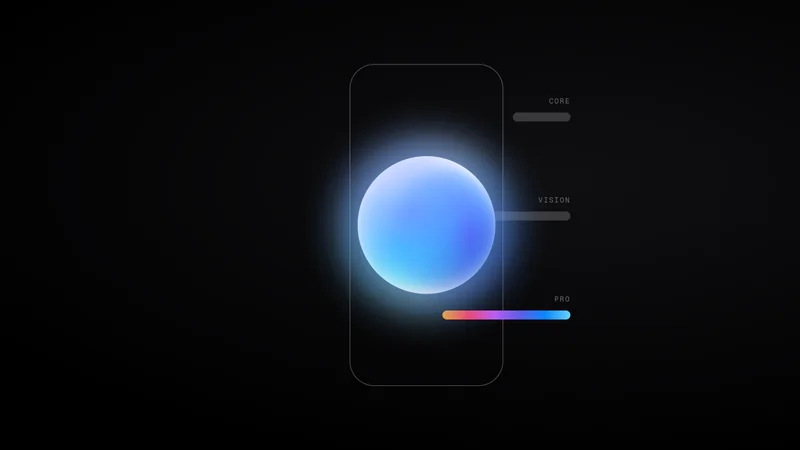
To write an answer, the model is loaded into the phone’s RAM. If there isn’t enough, it runs slowly or fails to start. Brello reads the phone’s total memory and recommends the most capable model that fits: Brello Pro for 12 GB of RAM, Brello Vision for 6 GB and Brello Core for 4 GB. Phones report a little less memory than they advertise, so Brello allows 10%. Figure 2 sets the three models side by side, with an 8 GB phone as an example.
- Each model downloads once: 977 MB for Brello Core, 2.59 GB for Brello Vision and 3.66 GB for Brello Pro. In this line-up, the larger the model, the more capable it is.
- More capable models need more memory. The model is loaded into RAM to run, so Brello recommends 4 GB for Brello Core, 6 GB for Brello Vision and 12 GB for Brello Pro.
- Brello recommends the most capable model that fits. An 8 GB phone reports about 7.4 GB, so Brello Pro may be too big for it and Brello Vision is marked Best.
Show data
| Model | Based on | Download | Recommended RAM | Total storage with speed cache |
|---|---|---|---|---|
| Brello Pro | Gemma 4 E4B by Google | 3.66 GB | 12 GB | ≈6.26 GB |
| Brello Vision | Gemma 4 E2B by Google | 2.59 GB | 6 GB | ≈3.60 GB |
| Brello Core | Qwen3 1.7B by Alibaba | 977 MB | 4 GB | ≈1.95 GB |
You can still choose a larger model than Brello recommends. It warns that the model “may run slowly or fail to start” and lets you continue. The full logic is in Fitting a model to the phone in your pocket.
The chip: GPU first, CPU as a fallback
The arithmetic behind every word runs on the phone’s GPU when one is available, with the CPU as a fallback, and Brello’s settings show which is in use (“Running on GPU”). The first time a model loads, the runtime builds a cache tuned to that phone’s chip, a step the app calls “Optimize for this phone”. It happens once and takes up to about a minute. After that, the model warms up while the app opens, so it is usually ready by the time you start typing, and answers stream onto the screen as they are written.
04
Does on-device AI work without internet?
Yes, once the model is on the phone. Brello 1.0 needs a connection once, to download a model, and after that it answers chat and photo questions in airplane mode. Only optional web search uses the internet again.
Figure 3 shows the sequence for Brello Vision, the model Brello recommends for phones with 6 or 8 GB of RAM.
- The model downloads once, ideally over Wi-Fi. Brello Vision is 2.59 GB, fetched straight from Hugging Face without an account, and the download keeps going if you leave the app.
- The phone verifies and unpacks the file. Installation happens on the phone, so the network is no longer involved.
- On first launch, the runtime tunes the model to this phone’s chip. It writes a speed cache of about 1.01 GB for Brello Vision, once, in up to a minute.
- From then on, questions are answered with the connection off. Chat and photo questions work in airplane mode, and only optional web search uses the internet again.
This is what makes an offline AI app practical. On a plane, underground, abroad without roaming or anywhere the signal drops, the assistant keeps answering, because the model it needs is already on the phone.
Works with no connection
- Chat, including Think harder, the mode in which the model reasons step by step before it answers
- Questions about photos, with Brello Pro or Brello Vision
- Your chat history, which is stored on the phone
- Switching between models that are already installed
Needs a connection
- Downloading a model, once per model
- Web search, which is optional and off by default
- Opening a cited source in your browser
Figure 4 shows the one-time setup as the app presents it: a choice of model, sized for the phone, then a single download.
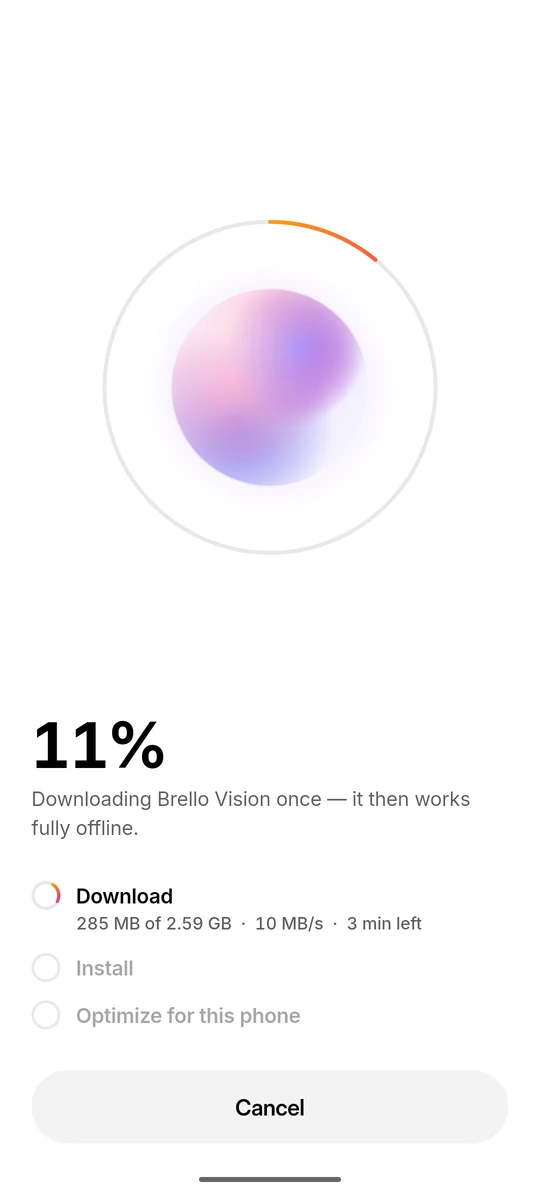
The quickest way to check any assistant is the airplane-mode test. Once the model has downloaded, switch on airplane mode and ask a question. A cloud AI assistant stops; an on-device assistant keeps answering.
Working offline also means working from what the model already knows. Its knowledge stops where its training data ends, so for news, prices or anything recent it needs the web, which section 07 covers.
05
What a private, on-device assistant does well
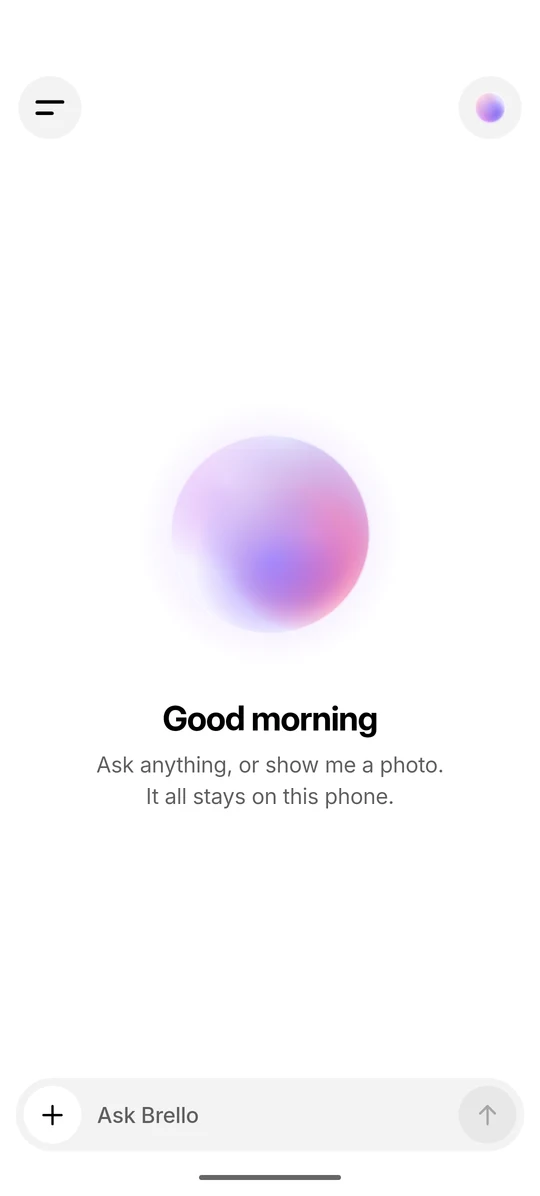
On-device AI is strongest where privacy and availability matter most. The question stays on the phone, there is no account, and the assistant keeps working without a signal.
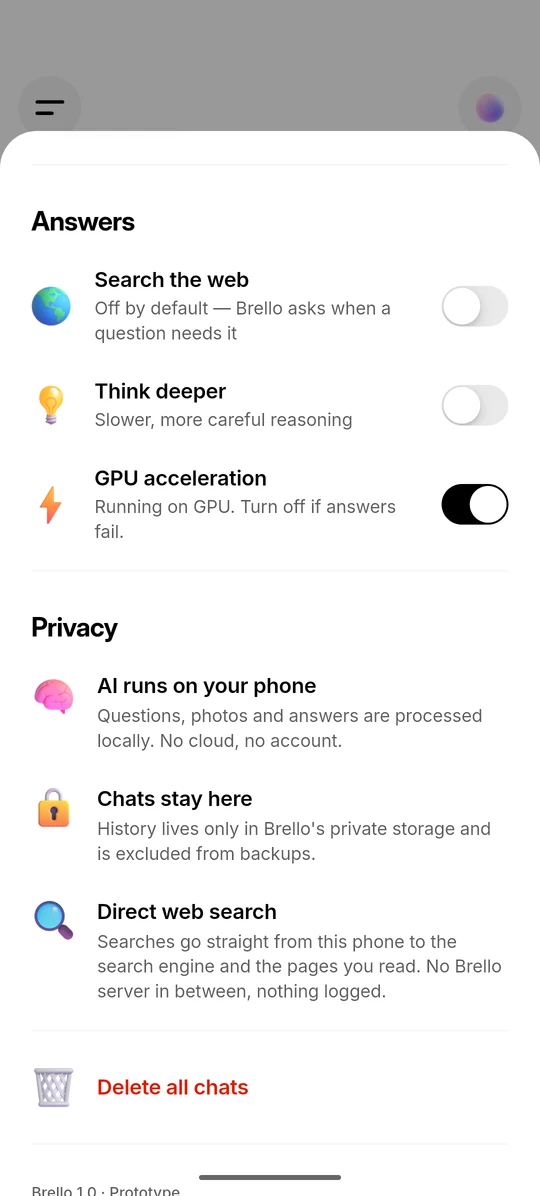
- Processed on the phone. Questions, photos and answers are processed by the model on the phone. A privacy policy can change; what the app sends is set by its code, which you can test, for example with the airplane-mode test in section 04.
- No account. Brello 1.0 has no sign-up or login, so nothing ties a question to a name or an email address.
- Chats stay on the phone. History lives in Brello’s private storage and is excluded from Android cloud backups and device-to-device transfers. You can delete one chat with a swipe, or all of them from Settings.
- Photos, understood offline. Brello Pro and Brello Vision answer questions about a photo from the camera or gallery entirely on the phone, and a question with a photo never triggers a web search.
- No tracking in the app. Brello 1.0 contains no analytics, crash-reporting or advertising libraries.
- Sensitive questions are handled like any other. A symptom, a money worry or a client’s details are processed on the phone, by the same model, in the same way.
06
Limitations of on-device AI
Phone-sized models are far smaller than the largest cloud models, so they make more mistakes, know nothing after their training data ends and are weaker at long or complex reasoning. On-device AI also asks more of the phone itself.
- Smaller models make more mistakes. A model that fits on a phone can be wrong. Brello’s system prompt tells the model to say when it isn’t sure, but that is no guarantee, so check anything important. We describe what small models need in Small models copy the shape of their instructions.
- A knowledge cutoff. A model knows only what was in its training data. Without a web search, it cannot know about anything that happened after that.
- A short memory. Each model works within a context window of 4,096 tokens, where a token is a word or part of a word. Brello carries only the last six messages of a conversation into each answer, clipped to 300 characters for yours and 600 for Brello’s, so early detail in a long chat is lost.
- Large downloads. A model is 977 MB to 3.66 GB, plus a speed cache written on first launch: about 6.26 GB in total for Brello Pro. Some phones won’t have room for it.
- Hardware decides speed and quality. Brello Pro wants a phone with 12 GB of RAM, and smaller models are faster but less capable. On Android, Brello 1.0 needs a 64-bit ARM phone with Android 8.0 or newer.
- Narrower inputs. One photo per message, no PDFs or other documents, and no voice input or output. The interface is in English.
- No sync or backup, by design. Chats exist only on the phone. If it is lost or reset, they are gone.
07
Getting fresh facts without a server
Brello 1.0 can look things up on the web, but only when you allow it: the search text and requests for up to four result pages leave the phone. Reading the results and writing the answer still happen on the device.
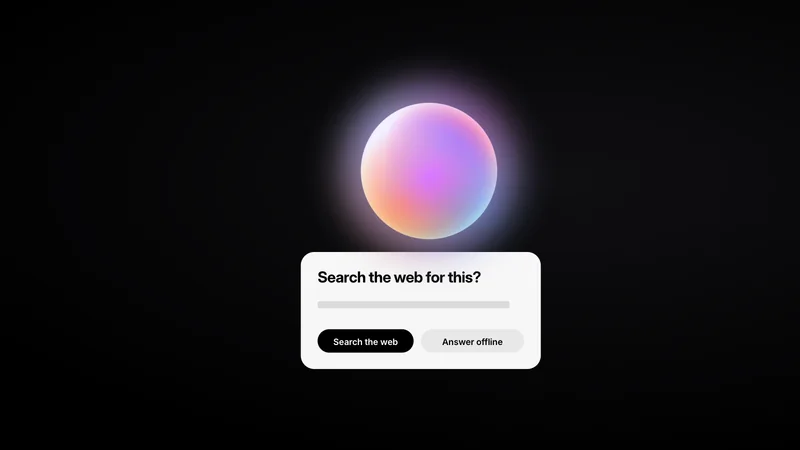
Web search is off by default. When a question looks as if it needs up-to-date information, such as news, prices, weather or scores, Brello pauses and asks: “Search the web for this?” You can approve the search or choose “Answer offline”. We explain how that decision is made in Asking before going online.
If you search, the phone sends the search text directly to a search engine. It works down a fixed chain of eight attempts until one returns relevant results: DuckDuckGo and Bing in an invisible browser, two lighter versions of DuckDuckGo, Google News for time-sensitive questions, Brave Search, Bing again and finally Wikipedia. On a short follow-up, up to ten words of your previous question are added for context. The phone then fetches up to four of the result pages itself and ranks their passages with BM25, a classic relevance formula from information retrieval.5 The best passages go to the on-device model, which writes the answer with numbered citations: [1], [2] and so on. Every search and page request carries the Do Not Track and Global Privacy Control signals.67 The full pipeline is in Answering from the open web, without a server.
08
How to tell whether an AI assistant is private
Ask six questions of any AI app: where the model runs, whether it needs an account, what leaves the device and when, whether chats are backed up to the cloud, whether it contains analytics or advertising code, and whether you can check any of it yourself. Table 2 sets out what to look for, and how Brello 1.0 answers.
| Question | What to look for | Brello 1.0 |
|---|---|---|
| Where does the AI run? | On the phone, or on the provider’s servers? Look for a model download and a clear statement that processing happens on the device. | On the phone. Brello Pro, Brello Vision and Brello Core run locally with LiteRT-LM. There is no cloud AI. |
| Do you need an account? | An account links every question to your identity. | No. There is no sign-up or login. |
| What leaves the device, and when? | A specific list of what is sent, to whom and when, rather than a slogan. | The one-time model download from Hugging Face. If you turn on web search, or approve it for one question, the search text goes to a search engine and the result pages are fetched directly. Questions, photos and answers are processed on the phone. |
| Are chats backed up to the cloud? | Android can include an app’s data in your cloud backup unless the app opts out.8 | No. Chats live only in Brello’s private storage and are excluded from cloud backups and device-to-device transfers. |
| Are there analytics or advertising SDKs? | Analytics, crash-reporting and advertising libraries can send data about how you use an app, even when the AI itself is local. | None. Brello 1.0 contains no analytics, crash-reporting or advertising SDKs. |
| Can you check it yourself? | Claims you can test: does it keep working offline, and which permissions does it hold? | Partly. After the download, chat and photo questions work in airplane mode. Brello asks for no contacts, location, microphone or calendar access, and opens the camera or photos only through the system picker when you choose them. Making privacy checkable, not just promised, is a design goal for Brello Super Intelligence. |
The airplane-mode test from section 04 is the quickest check of the first question. For everything Brello keeps and sends, see our privacy policy and the FAQ.
09
Where on-device AI is heading
We think the next step is device-first rather than device-only: run everything the phone can run, and make anything that has to run elsewhere verifiably private. That is the design goal for Brello Super Intelligence, which is in development.
Brello Super Intelligence · In development. The rest of this section describes design intent, not results.
Brello 1.0 has no server at all: every answer is computed on the phone. That design has a limit, because some work needs more memory and computation than any phone carries. Brello Super Intelligence is being designed in three layers, with information intended to move outward only when a task needs it:
- Your device. Work is intended to run on the phone whenever it can.
- Sealed compute. When a task needs more than the phone can give, we intend to run it on hardware-isolated, stateless servers designed to keep nothing, and the device is being designed to verify a server before sending it anything.
- The open web. Fresh facts are intended to come from the web only when you allow it, fetched directly from your device, read and cited, as in Brello 1.0.
The middle layer is the hard part: making privacy something you can check rather than something you are asked to trust. We set out the design space in Private compute you can verify and our commitments in the Brello Charter. We will not describe Brello Super Intelligence as finished until it is.
Frequently asked questions
On-device AI is artificial intelligence that runs on your own device, such as a phone, instead of on a company’s servers. The model is downloaded once and then runs on the device’s own chip, so questions can be answered without being sent anywhere.
On-device AI does, once the model has been downloaded. Brello 1.0 needs a connection once, to download a model of 977 MB to 3.66 GB, and then answers chat and photo questions in airplane mode. A cloud AI assistant needs a connection for every question, because its model runs on the provider’s servers.
It removes the biggest exposure: the question is processed on the device, so no server has to receive it. Whether a particular app is private also depends on what else it sends, such as analytics, backups or web searches. In Brello 1.0, questions, photos and answers are processed on the phone, chats are excluded from cloud backups, and with web search on, the search text and requests for up to four result pages go directly to a search engine and those sites.
Yes, on a 64-bit Android phone with enough memory. Brello 1.0 runs complete language models on Android 8.0 or newer through Google’s LiteRT-LM runtime, on the GPU with the CPU as a fallback. It recommends a model by memory: Brello Pro for 12 GB of RAM, Brello Vision for 6 GB and Brello Core for 4 GB.
In Brello 1.0, the download is 977 MB for Brello Core, 2.59 GB for Brello Vision and 3.66 GB for Brello Pro. The first launch adds a speed cache, so the totals are about 1.95 GB, 3.60 GB and 6.26 GB. Brello checks for that space, plus 300 MB to spare, before it downloads.
It depends on the model. Brello recommends 4 GB of RAM for Brello Core, 6 GB for Brello Vision and 12 GB for Brello Pro, and picks the most capable model your phone can hold. A larger model on a phone with too little memory may run slowly or fail to start.
Not for every task. Models that fit on a phone are far smaller than the largest cloud models, so they make more mistakes, have a knowledge cutoff and are weaker at long or complex reasoning. The trade is capability for privacy and offline use.
The first time a model loads, the runtime builds a cache tuned to the phone’s chip, a step Brello calls “Optimize for this phone”. It happens once per model and takes up to about a minute, and later launches start from the cache.
Only when you act. The model download comes from Hugging Face, once per model. If you turn on web search, or approve it for one question, the phone sends the search text to a search engine and requests up to four result pages. There is no Brello server, account or analytics.
Brello 1.0 runs on 64-bit ARM Android phones with Android 8.0 or newer, and on iPhone. It is on Google Play and the App Store.
References
Reviewed . Web pages were checked on that date.
- Google AI Edge. “LiteRT-LM.” GitHub. Accessed 5 October 2026. github.com/
google-ai-edge/ LiteRT-LM - Google DeepMind. “Gemma.” Accessed 5 October 2026. deepmind.google/
models/ gemma - Qwen Team. “Qwen3: Think Deeper, Act Faster.” 29 April 2025. Accessed 5 October 2026. qwenlm.github.io/
blog/ qwen3 - Hugging Face. “LiteRT Community.” Accessed 5 October 2026. huggingface.co/
litert-community - S. Robertson and H. Zaragoza. “The Probabilistic Relevance Framework: BM25 and Beyond.” Foundations and Trends in Information Retrieval, 3(4):333–389, 2009.
- W3C. “Tracking Preference Expression (DNT).” W3C Working Group Note, 17 January 2019. w3.org/
TR/ tracking-dnt - W3C. “Global Privacy Control (GPC).” Specification. Accessed 5 October 2026. w3c.github.io/
gpc - Android Developers. “Back up user data with Auto Backup.” Accessed 5 October 2026. developer.android.com/
identity/ data/ autobackup
Version history
- First published.
- Moved from /research/on-device-ai-explained/ to /learn/on-device-ai/, with a 301 redirect.