Brello 1.0 · Android
prototype · v1.0.0

Brello 1.0: a private AI assistant that runs on your phone

Brello 1.0 is a private AI assistant for Android and iPhone, made by Stuvio, that runs its language model entirely on the phone. It answers questions, reads photos with Brello Pro or Brello Vision, and, only when you choose, searches the web and cites its sources. There is no cloud AI, no account and no Brello server.

Brello 1.0 is on Google Play and the App Store.

Brello 1.0 home screen: the orb, the greeting ‘Good morning’, the line ‘Ask anything, or show me a photo. It all stays on this phone.’ and the ‘Ask Brello’ input bar.
Where the model runs
On the phone
GPU through OpenCL, CPU fallback
Account
None
No sign-up, and no Brello server
Internet
Once per model
977 MB to 3.66 GB download; web search optional
Models
3
Brello Pro, Brello Vision, Brello Core
Context window
4,096 tokens
Last 6 messages carried into each answer
Longest answer
1,200 tokens
2,048 with Think harder
Storage used
≈1.95–6.26 GB
Model plus speed cache, depending on the model
Phone
Android 8.0+
64-bit ARM; 4, 6 or 12 GB RAM by model

Facts on this page describe Brello 1.0 (version 1.0.0, build 1) as of 5 October 2026.

Capabilities

What Brello 1.0 does

Brello 1.0 chats, reads photos, answers from the web with numbered citations, asks before it goes online, and offers a slower reasoning mode called Think harder. Each capability below gives its mechanism, one specification and the limit that applies to it.

Up to 1,200 tokens per answer

On-device chat

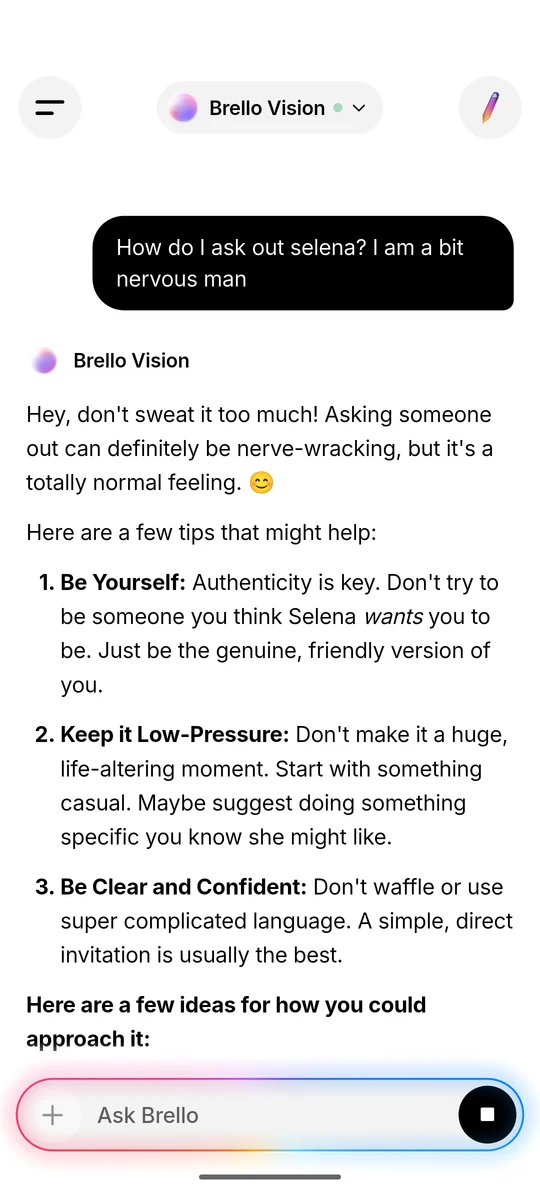
A language model on the phone writes each answer and streams it as it goes, formatted as Markdown with headings, lists, tables and code. You can copy, regenerate or stop an answer, and each one ends with a line such as ‘2.4s · On-device’.

LimitEach answer sees only the last six messages, clipped to 300 characters for yours and 600 for Brello’s, so long chats lose their early detail.

1 photo per message · Pro and Vision

Photos, read on the phone

Take a photo or pick one from the gallery and ask about it; sent alone, it gets a detailed description. Photos are downscaled to at most 1280 × 1280 and copied into Brello’s private storage, and a photo question never triggers a web search.

LimitBrello Core reads text only, and Brello 1.0 accepts no PDFs, documents or other files.

Off by default · up to 4 pages read

Web answers with citations

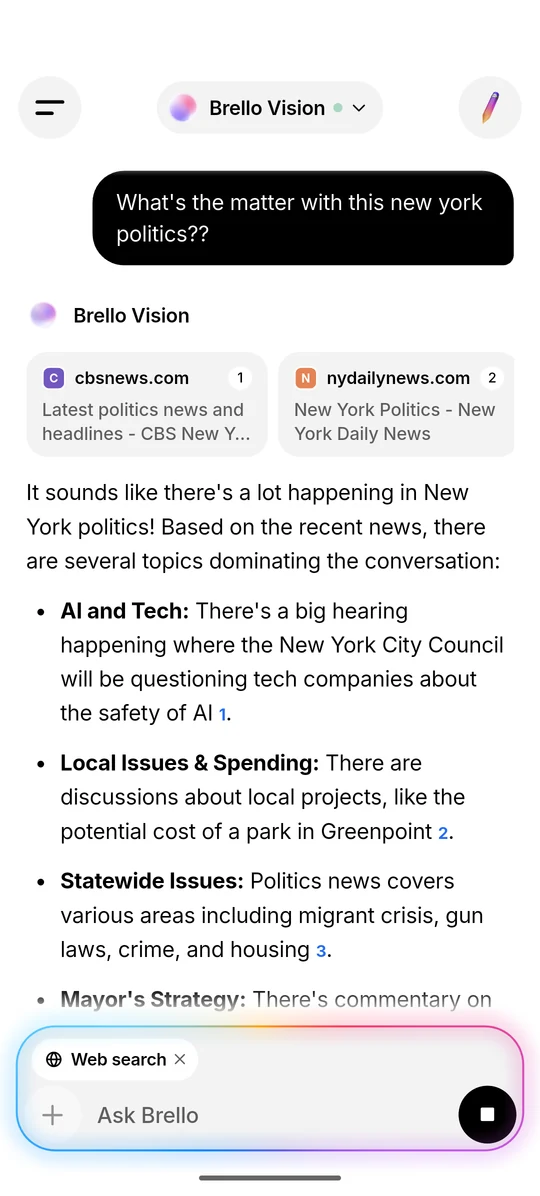
With web search on, the phone turns the question into a search query, reads up to four result pages, ranks their passages with BM25 and gives the model the best ones. The answer cites them inline as [1], [2], under source cards that open each page.

LimitResults depend on third-party search engines. An attempt can take up to 14 seconds or come back empty, and Brello then answers from the model’s own knowledge.

Asks first when web search is off

Asks before going online

With web search off, a question that looks time-sensitive, about news, prices, weather, scores or ‘this week’, pauses on a card titled ‘Search the web for this?’ with two buttons, ‘Search the web’ and ‘Answer offline’.

LimitThe check looks for words like these and the current year. A question that needs fresh facts but avoids them is answered offline.

Up to 2,048 tokens per answer

Think harder

A reasoning mode, switched on from the + menu. The model reasons before it answers, and a ‘Thought process’ panel shows the latest lines of that reasoning live, then collapses into a row you can expand. All three models support it.

LimitAnswers take longer to arrive.

977 MB to 3.66 GB, downloaded once

Works offline after one download

Each model downloads once from Hugging Face, with no account or token. After that, chat, photos and Think harder work without a connection, on the phone’s GPU when it can and on the CPU otherwise.

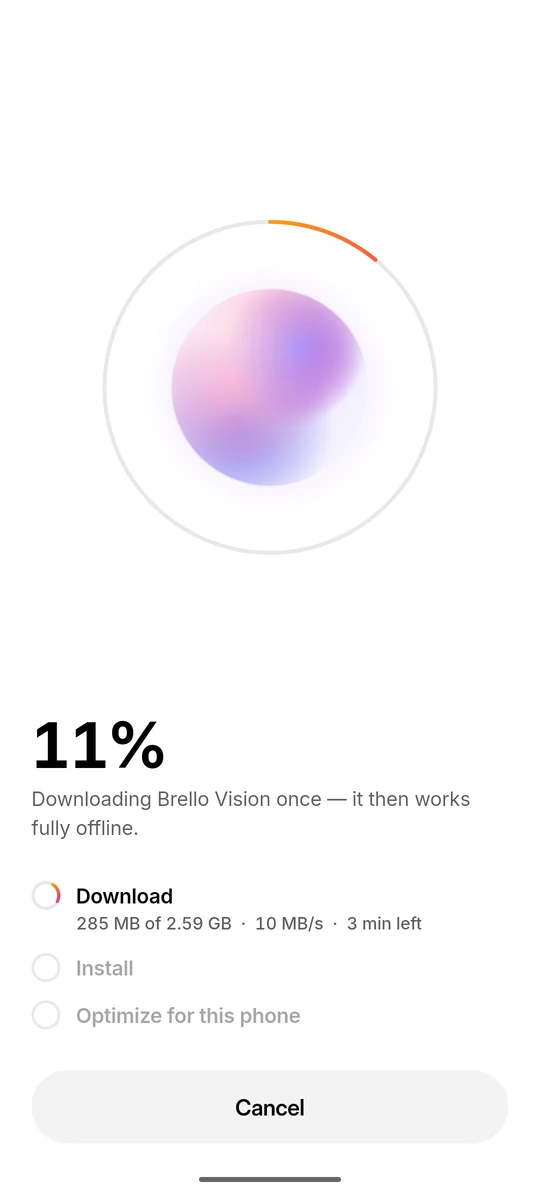
LimitThe first launch of each model takes up to a minute while it builds a speed cache for the phone’s chip, a step labelled ‘Optimize for this phone’.
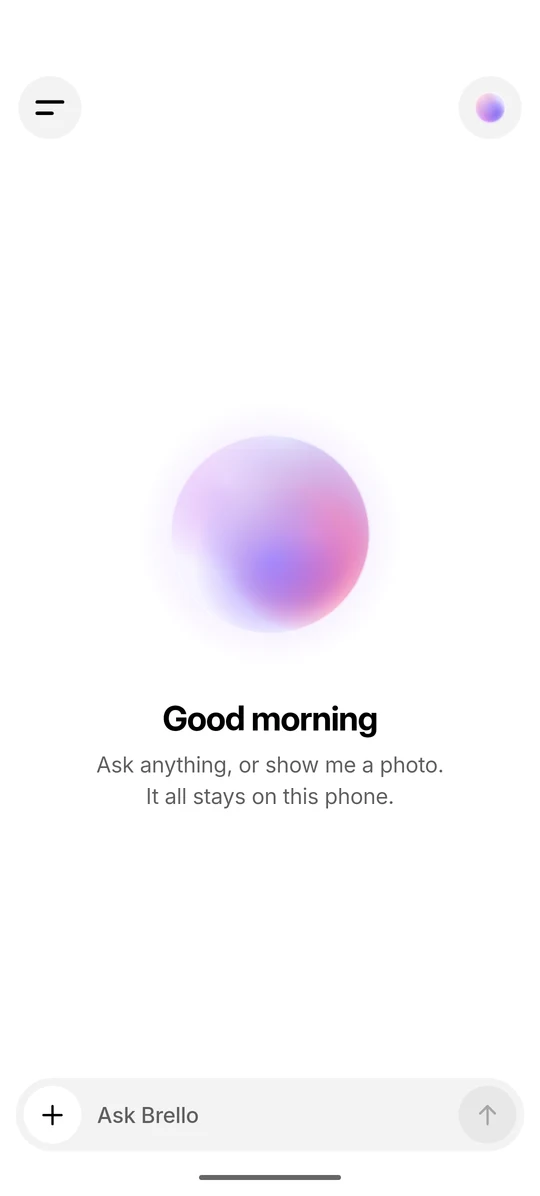
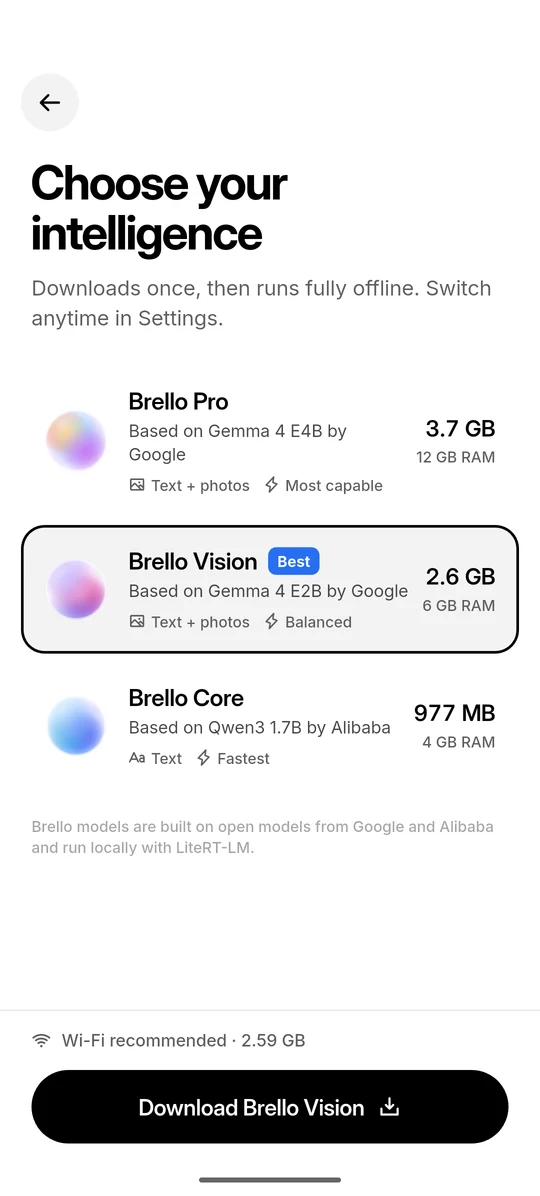
Screens

Brello 1.0 on a phone

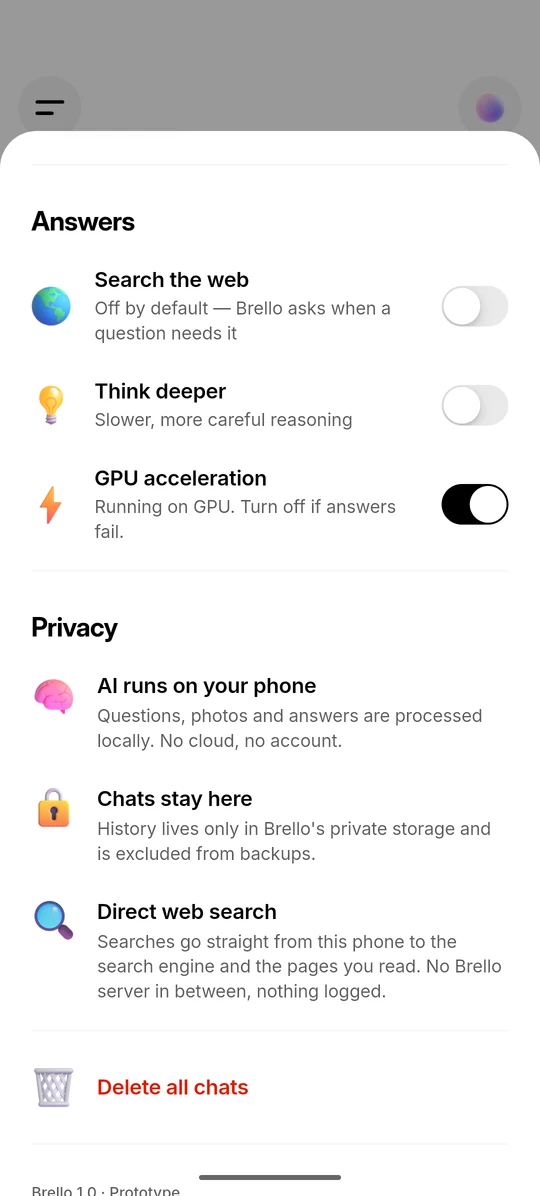
Six screens from Brello 1.0 in light mode, with the phone’s status bar removed.

Models

Three models, chosen for your phone’s memory

Brello 1.0 offers three models, each built on an open model and sized for a different amount of phone memory. Brello reads the phone’s total memory, allows 10% because phones report a little less than their advertised RAM, and recommends the most capable model that fits.

SpecificationBrello ProBrello VisionBrello Core
In the appMost capableBalancedFastest
Based onGemma 4 E4B by GoogleGemma 4 E2B by GoogleQwen3 1.7B by Alibaba
InputText + photosText + photosText
Download3.66 GB2.59 GB977 MB
Storage used, with speed cache≈6.26 GB≈3.60 GB≈1.95 GB
Free space needed first≈6.56 GB≈3.90 GB≈2.25 GB
Recommended memory12 GB RAM6 GB RAM4 GB RAM
LicenceApache 2.0Apache 2.0Apache 2.0

Sizes are decimal (1 GB = 1,000,000,000 bytes). All three models run locally with Google’s LiteRT-LM runtime. Brello isn’t affiliated with or endorsed by Google or Alibaba.

LimitThe smaller models are faster but less capable. All three are far smaller than frontier cloud models: they can be wrong, have a knowledge cutoff and are weaker at long or complex reasoning.

Privacy

What stays on your phone, and what leaves only when you choose

Your questions, photos and answers are processed on your phone, and your chats are stored only there. Three kinds of request leave the phone, and each one starts with something you do: downloading a model, searching the web, and reading the pages a search returns.

What stays on the phone, and the three requests that leave it A dashed outline marks the phone. Inside it, a question with a photo goes to the on-device model, Brello Vision, which writes the answer on the phone. The photo is kept in an images folder, settings in SharedPreferences and the chat in conversations.json, all in Brello’s private storage, and Android backup is excluded. Below the phone are four destinations. Hugging Face receives one file request when you tap Download Brello Vision. Search engines receive the search text only after you switch on Search the web: if one fails or returns nothing relevant, the next of up to eight is tried. Websites receive up to four page requests at the same moment. Android backup receives nothing. On this phone No Brello server · no account · no analytics What does this letter mean? Any rail strikes this week? Brello Vision LiteRT-LM · GPU, CPU fallback Not installed Ready Brello Vision 2.4s · On-device Searching the web [1] [2] 3.1s · Web + on-device images/ Photos, ≤ 1280 × 1280 SharedPreferences Theme, web, GPU, model Memory only Search results, 15 min conversations.json Chats, answers, reasoning Download Brello Vision Search the web Reading 4 sources B G N R File request Search text Page requests No backup Hugging Face litert-community Received: 1 file request Search engine DuckDuckGo, Bing, … Not contacted Received: search text Websites Up to 4 result pages Not contacted Received: 4 requests Android backup allowBackup="false" Not contacted Nothing copied On this phone What does this letter mean? Any rail strikes this week? Brello Vision Ready Download Brello Vision Brello Vision 2.4s · On-device Searching the web [1] [2] 3.1s · Web + on-device Search the web Reading 4 sources B G N R conversations.json Chats images/ Photos SharedPreferences Settings Android backup Not contacted Nothing copied Websites Not contacted 4 page requests Search engine Not contacted Search text Hugging Face 1 file request
  1. You start a model download. Tapping ‘Download Brello Vision’ sends one standard file request to Hugging Face, once per model. After that, the model runs on the phone with no connection.
  2. You ask, and the phone answers. The question and its photo go only to the on-device model, which writes the answer on the phone. A photo question never triggers a web search.
  3. The chat stays on the phone. The chat, the photo and your settings are kept in Brello’s private storage. Android backup is switched off for all of it, so nothing is copied to a cloud backup or to a new phone.
  4. The search text leaves only if you allow it. Web search is off by default. Once you switch it on, or tap ‘Search the web’ on the card, a cleaned-up version of the question goes straight from the phone to a search engine. If that engine fails or returns nothing relevant, the next of up to eight is tried, so one question can reach more than one.
  5. Up to four result pages are requested directly. The websites see a normal request, including the phone’s IP address. On the phone, Brello extracts each page’s text and ranks its passages with BM25, and the on-device model writes the answer and cites them.
Figure 1What Brello 1.0 keeps on the phone, and the three kinds of request that leave it, each started by you. The questions, sources and timings are illustrative; the destinations, storage locations and limits are the ones the app uses.
When something leaves the phone, what is sent, to whom, and who starts it
WhenWhat is sentTo whomStarted by
Downloading a model, once per modelA standard file download requestHugging Face (litert-community repositories)You, by starting the download
Web search, only when on or approved for that questionThe search text: a cleaned-up version of the question, with up to 10 words of the previous question added on follow-upsEach search engine tried, in order, until one returns relevant results: DuckDuckGo, Bing, Brave Search, Google News (RSS) or WikipediaThe ‘Search the web’ setting, or the ‘Search the web for this?’ card
Reading results, at the same momentOrdinary page requests for up to 4 result pagesThe websites in the resultsThe same choice
Tapping a source card or citationOpens the pageYour browserYou

Search and page requests carry the Do Not Track (DNT: 1) and Global Privacy Control (Sec-GPC: 1) headers. The invisible browser Brello searches with exists only while searching; after 3 idle minutes it is closed and its cookies, cache and storage are wiped. Results stay in memory for 15 minutes and are gone when the app closes.

There is no Brello server, proxy or relay, so we have no logs to keep. Search engines and websites still see what any web request shows, including your phone’s IP address. The app contains no analytics, crash-reporting or advertising software, and chats are excluded from Android cloud backup and device-to-device transfer.

How it works

How a reply is made

Every reply follows the same five steps on the phone. Only the optional web search sends anything out, and the model that writes the answer runs on the phone either way.

  1. You ask, by typing a question or adding a photo.
  2. Brello decides whether the question needs the web. Most don’t. If one clearly needs fresh facts and web search is off, Brello asks you first.
  3. If it searches, the phone queries a search engine directly, opens the top few pages and picks out the most relevant passages.
  4. The on-device model writes the answer, using those passages when there are any, and cites them as [1], [2].
  5. The chat is saved on your phone, and nowhere else.

System requirements

Supported phones, memory and storage

Brello 1.0 needs an Android phone with a 64-bit ARM processor, Android 8.0 or newer, and enough memory and free storage for the model you choose. Brello checks both before it downloads.

Operating systemAndroid 8.0 (API 26) or newer
Processor64-bit ARM (arm64-v8a) only. x86 devices and Chromebooks are not supported.
Memory (RAM)Brello Core 4 GB or more · Brello Vision 6 GB or more · Brello Pro 12 GB or more. Brello recommends a model and warns if you choose a bigger one.
Free storageBrello Core ≈2.25 GB · Brello Vision ≈3.90 GB · Brello Pro ≈6.56 GB: the model, its speed cache and 300 MB of headroom, checked before the download starts
NetworkWi-Fi recommended for the one-time model download (977 MB to 3.66 GB). Optional afterwards, for web search.
GraphicsOptional. Brello uses the GPU through OpenCL when it can, and the CPU otherwise.
OrientationPortrait
iPhone and iPadNot supported

Limitations

Known limitations of Brello 1.0

Brello 1.0 is a first version, and its models are small enough to fit on a phone. These are the limits that matter most in use.

  • On Android, only 64-bit ARM phones running Android 8.0 or newer.
  • A one-time download of 977 MB to 3.66 GB, plus a speed cache of similar size. Some phones won’t have room for Brello Pro.
  • Speed and quality depend on the phone. Brello Pro wants 12 GB of RAM; the smaller models are faster but less capable.
  • The first launch of a model takes up to a minute while it is optimised for the phone’s chip.
  • Small models make mistakes: they can be wrong, have a knowledge cutoff and are weaker at long or complex reasoning. The system prompt tells the model to admit uncertainty, which is no guarantee.
  • Short memory within a chat: only the last six messages, clipped, are carried into each answer.
  • One photo per message, and no PDFs, documents or other files.
  • Web search depends on third-party search engines. It can take up to about 14 seconds per provider attempt or come back empty, and Brello then answers from its own knowledge.
  • No voice input or output.
  • The interface is in English only. The models handle other languages to varying degrees, which we don’t offer as a feature.
  • No sync, backup or export. If you lose or reset the phone, the chats are gone, by design.

Status

Status: on Google Play and the App Store

Brello 1.0 is available for Android on Google Play and for iPhone on the App Store.

Brello 1.0 runs its models entirely on the phone. Brello Super Intelligence, which is in development, is being designed to add verifiable private compute for heavier work while keeping the device first.

Version 1.0.0 (build 1)4 October 2026Commits 82cc662 and 18dc2f5

Comparisons

How Brello compares with cloud assistants

The main difference is where the model runs. A cloud assistant answers on its provider’s computers, so each question travels there; Brello 1.0 answers on the phone, so questions, photos and answers stay there unless you choose to search the web.

The trade-off is capability. Brello’s on-device models are far smaller than frontier cloud models and weaker at long or complex reasoning.

Our comparison pages set Brello 1.0 beside named assistants, quoting each provider’s own published documentation with the date it was checked.

FAQ

Questions about Brello 1.0

Short answers to common questions about Brello 1.0. The full FAQ also covers Brello Super Intelligence, privacy and the company.

Yes, after a one-time model download of 977 MB to 3.66 GB. Chat, photo questions and Think harder then work with no connection, including in airplane mode. Only web search needs the internet, and it is off by default.

No. The model runs on your phone, so your questions, photos and answers are processed there, and there is no Brello server. If you turn on web search, the search text goes directly from your phone to a search engine, which sees the request and your IP address as it would for any web request.

No. There is no sign-up, login or Brello account, and the models download from Hugging Face without an account or access token.

Android phones with a 64-bit ARM (arm64-v8a) processor and Android 8.0 or newer, and iPhone. On Android, Brello Core is recommended for 4 GB of RAM, Brello Vision for 6 GB and Brello Pro for 12 GB, and Brello recommends one automatically.

Yes. Its on-device models are far smaller than frontier cloud models and can make mistakes. The system prompt tells the model, “If you are not sure about something, say so instead of guessing.” With web search on, answers cite their sources so you can check them.

Download it from Google Play for Android or the App Store for iPhone.

Brello 1.0
Android and iPhone

Get Brello 1.0

Brello 1.0 is on Google Play and the App Store. It runs on your phone, with no account.